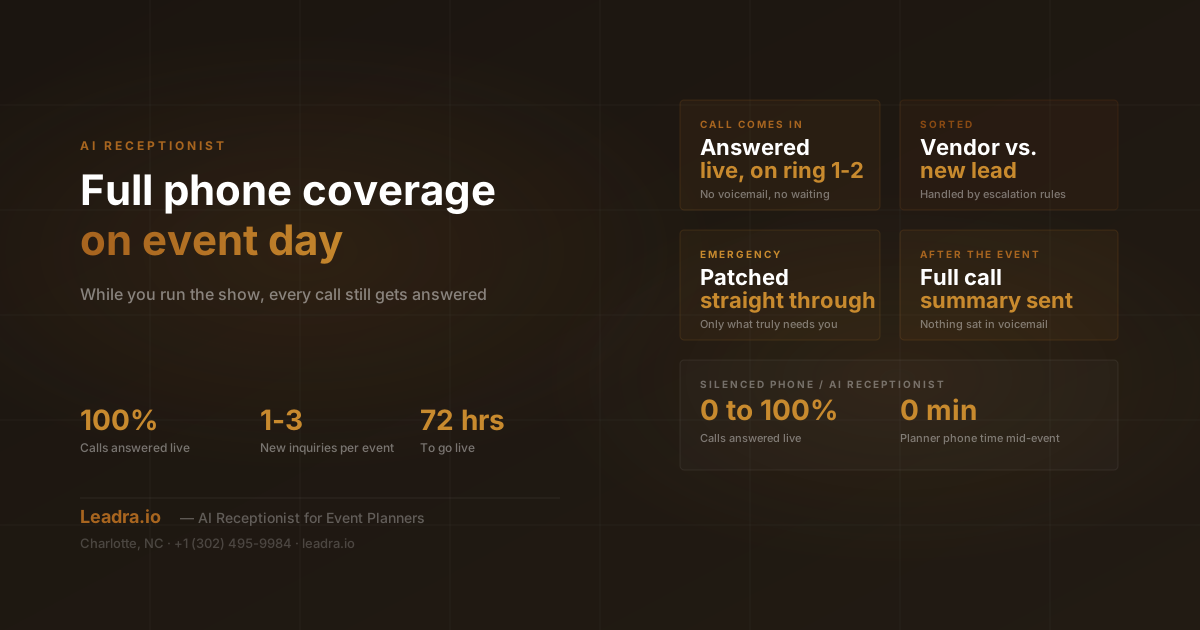
On event day, most planners do the same thing with their phone: they silence it and hope nothing important comes in for the next eight hours. Everything that rings during a wedding, gala, or corporate launch, a new client, a vendor with a question, a curious guest, gets treated the same way as spam. It waits.
That trade-off has always felt necessary. You can't run a live event and hold a phone conversation at the same time. But silencing the phone doesn't just block interruptions, it blocks everything, including the new inquiry that would have booked your next event and the vendor call that actually needed a two-minute answer to keep the day on schedule.
An AI receptionist changes that equation. Instead of choosing between silence and constant interruption, the phone gets answered live, every call gets handled or logged appropriately, and only what genuinely needs the planner reaches them. This guide covers exactly how that works on event day specifically, what it replaces, and what changes for planners who run it.
Leadra.io deploys this system for event planners and local service businesses across Charlotte, NC and nationwide. The details below reflect how it actually runs on real event dates, not a theoretical pitch.
Why Event Day Breaks Every Normal Approach to Answering the Phone
Most advice about missed calls assumes the business owner is simply busy and will get to the phone eventually. Event day doesn't work that way. There's no eventually, because there's no gap in the schedule to check a voicemail without pulling focus away from the event itself:
The planner is physically hands-on for hours straight
Directing vendors, managing the timeline, and troubleshooting whatever goes sideways leaves zero natural pauses to step away and take a call, let alone qualify a new lead.
New inquiries don't know it's event day
A prospective client browsing planners on a Saturday afternoon has no idea the planner they're calling is mid-ceremony three hours away. They just hear it ring out and move to the next name on their list.
Vendors call with time-sensitive questions
A florist asking about a side-entrance access code or a caterer confirming a headcount change needs an answer in minutes, not after the event ends. Silencing the phone doesn't distinguish that from a sales call.
One silenced phone hides both the noise and the signal
There's no way to let only the important calls through when the phone is simply off. Planners either interrupt themselves constantly or miss everything equally, including the calls that actually mattered.
The problem isn't that planners are bad at answering the phone. It's that no human can run a live event and staff a phone line at the same time. That's a capacity problem, and it needs a system, not more willpower.
How an AI Receptionist Covers Event Day
The system connects to the planner's existing business line and runs on a set of rules the planner configures ahead of the event. Here's what happens from the first call of the day to the summary waiting after the last guest leaves.
Escalation rules get set before the event
A few days before event day, the planner defines who can interrupt and who can't. The day-of venue manager and lead vendors get a direct line through. Everyone else, including new inquiries, gets answered by the AI receptionist without reaching the planner's phone.
The AI answers every call live, in real time
From the moment the planner arrives on-site to the moment the last guest leaves, every inbound call to the business line is picked up in one or two rings. There's no voicemail greeting, no dead air, no caller left wondering if anyone is coming.
Calls get sorted and handled on the spot
A vendor asking about load-in time gets an immediate answer pulled from the event details. A new client asking about availability gets qualified and offered a callback window. A genuine emergency, defined by the planner's own rules, gets patched straight through.
Everything gets handed back after the event
Once the event wraps, the planner gets a clean summary: which calls came in, what each one was about, which leads are worth calling back first, and a transcript of anything flagged as time-sensitive. Nothing sat in a voicemail box waiting to be checked days later.
The planner never has to touch their phone during the event to make this work. The configuration happens once, before event day starts, and the system runs on its own from there.
What Actually Gets Escalated vs. Handled Automatically
The whole system hinges on getting this split right. Escalate too much and the planner is right back to being interrupted all day. Escalate too little and a real problem sits unresolved. Here's how it typically breaks down once the rules are dialed in:
Patched Through Immediately
- Venue manager reporting an access or setup problem
- A lead vendor who hasn't arrived at their scheduled load-in time
- The day-of coordinator flagging a timeline conflict
- Anyone calling from a number the planner marked as always-urgent
Handled or Logged Automatically
- New client inquiries and availability questions
- Routine vendor questions covered by the event details on file
- Guest questions about parking, timing, or venue directions
- Sales calls, spam, and anything unrelated to the event
Planners typically tighten or loosen these rules after their first one or two events on the system, once they see exactly which calls actually needed them and which ones didn't.
Silenced Phone vs. AI Receptionist Coverage
| What Happens | Phone Silenced | AI Receptionist |
|---|---|---|
| Phone silenced, no coverage | 0 calls answered live | Every call answered live |
| New inquiries during the event | Voicemail, usually never returned same-day | Answered, qualified, logged instantly |
| Vendor questions (load-in, parking, access) | Vendor calls the planner directly mid-event | AI answers from event details on file |
| True emergencies | Buried under routine calls | Routed straight through, no delay |
A Real Example: One Wedding Day, Two New Inquiries
A Charlotte-based planner running a 200-guest wedding used to hand her phone to an assistant to silence for the day, checking it only during brief lulls. On a typical event Saturday, that meant three to five calls went completely unanswered, most of them assumed to be spam or vendors that could wait.
With an AI receptionist running that same wedding, two of those calls turned out to be new inquiries: one from a corporate event coordinator planning a launch party, another from a couple who'd just gotten engaged that week. Both were answered live, asked about their event date and type, and offered a callback window for the next morning. A third call was a vendor confirming a delivery gate code, answered instantly from the event details on file instead of interrupting the ceremony.
None of that required the planner to touch her phone once during the event. She saw the full summary that evening, with the corporate inquiry flagged as the priority callback based on budget details the AI had already collected. Both leads were contacted the next morning while the details were still fresh, and the corporate inquiry converted into a signed contract within two weeks, a booking that previously would have gone straight to voicemail on a day she had no way to check it.
Why This Matters in a Market Like Charlotte
Charlotte runs a full calendar of weddings and corporate events most weekends, especially across Uptown, South End, and the Lake Norman corridor. That means most planners in this market are booked on the exact days new inquiries are most likely to come in, since couples and corporate buyers tend to shop for planners on weekends when they have time to research. An AI receptionist closes that gap directly: the busiest days for events become just as productive for new business as any weekday in the office.
Setting Escalation Rules Before Event Day
The system is only as useful as the rules behind it, so setup happens before the event, not during it. Leadra.io works with planners to define three things: which contacts get patched through immediately (typically the venue manager and lead vendor), what counts as urgent enough to interrupt, and how new inquiries should be handled if they can't be answered live in the moment. Once those rules are set, they carry over to every future event automatically.
What Changes on Event Day
Calls answered live
100% vs. 0% (silenced)
New inquiries captured per event day
1-3 on average
Time planner spends on the phone mid-event
0 minutes
Setup time before first event
Under 72 hours
Frequently Asked Questions
What does an AI receptionist actually do on event day?
It answers every incoming call live instead of letting it ring out or drop to voicemail. It handles new client inquiries by collecting event date and details, answers common vendor questions like load-in times or parking instructions, and screens calls so only true emergencies get routed to the planner's cell phone. Everything else, including new leads, gets logged and handed off after the event ends.
How does the AI know what's actually urgent on event day?
The system is configured with the planner's own escalation rules before the event: which vendors can interrupt, which situations count as urgent, and which numbers should always be patched through immediately, like the day-of coordinator or venue manager. Anything outside those rules gets handled or logged without interrupting the planner.
Will callers know they're talking to an AI instead of the planner?
The AI identifies itself honestly as answering on the planner's behalf, but it doesn't sound like a robotic phone tree. It speaks naturally and handles the call the way a trained office manager would. Most callers are simply relieved someone answered instead of hitting voicemail.
Does this replace having a day-of coordinator or assistant?
No. A day-of coordinator manages the physical event, vendors, timeline, and guests. An AI receptionist manages the phone line the planner isn't near while doing that work. Many planners running solo or with a small team don't have budget for a dedicated phone assistant on every event date, and this fills that gap at a fraction of the cost of a part-time hire.
Related Guides
The Bottom Line
Silencing the phone on event day was never a strategy, it was the only option available. The choice was always all calls or no calls, with no way to let through what actually mattered. An AI receptionist removes that trade-off entirely: the planner stays fully present at the event, and the phone still gets answered, sorted, and handled the whole time.
The events on the calendar don't change. What changes is what happens to everyone who calls while those events are running, instead of hearing it ring out and calling someone else.
Stop Choosing Between the Event and the Phone
See what a fully covered event day looks like
Leadra.io deploys AI receptionist coverage and full lead generation systems for event planners across Charlotte, NC and the US. Setup takes under 72 hours.