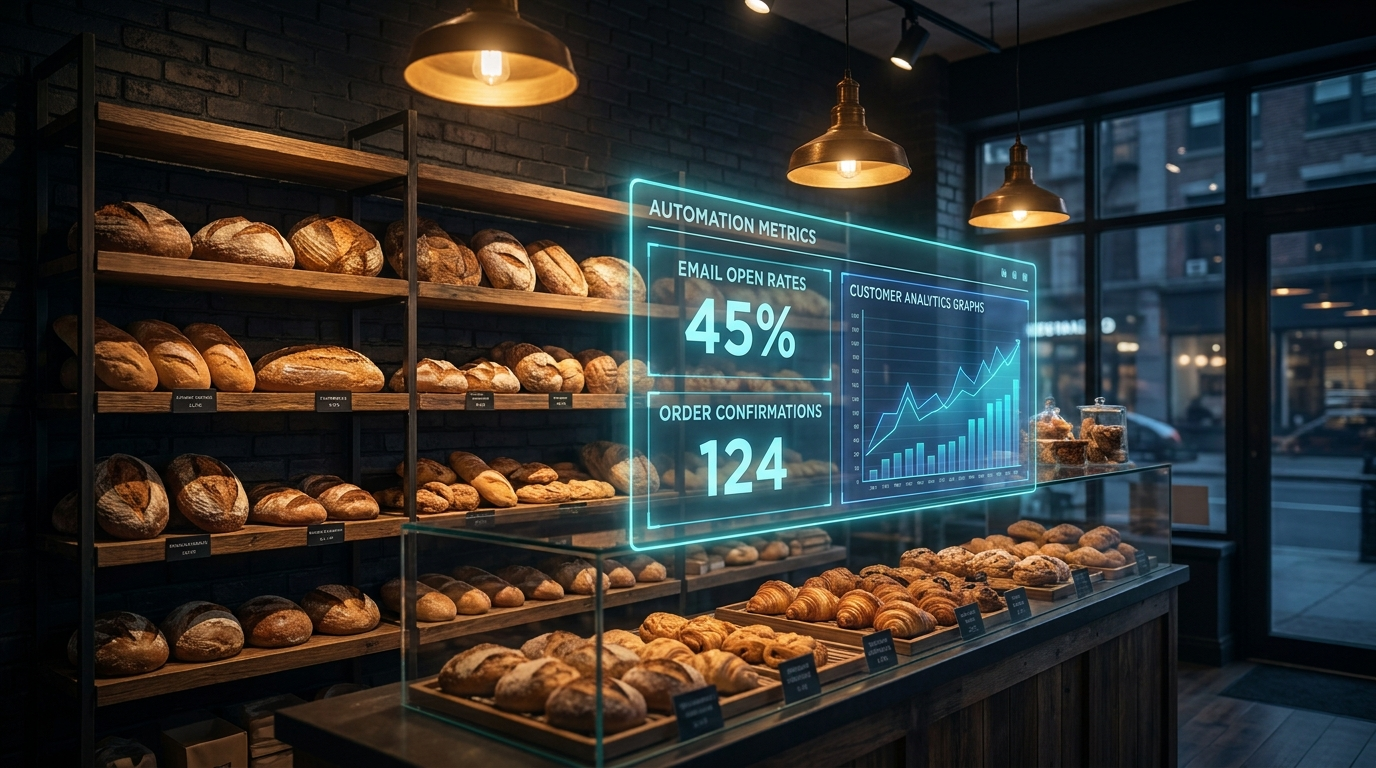
Bakery Marketing Automation Guide: Fill Every Order Slot Without Adding Staff in 2026
By Leadra.io Team · June 22, 2026 · 9 min read
Bakery marketing automation is a connected set of tools that handles order confirmations, seasonal product launch emails, pre-order waitlists, customer reactivation campaigns, and Google review requests without any manual work per customer. The right stack keeps your cases sold out, your regulars coming back, and your custom order calendar full — without hiring a marketing person.
Running a bakery means producing a perishable product on a fixed daily schedule. Every unsold croissant at close is revenue you cannot recover. Every custom cake inquiry that sits unanswered for six hours is an order that went to a competitor. Every loyal customer who loved your cinnamon rolls last December but never heard from you again is a repeat sale that walked out the door silently.
The bakeries that grow consistently in 2026 are not necessarily the ones with the best product. They are the ones with a system behind the product. This bakery marketing automation guide covers exactly which systems work, what each one costs, and how to build the stack step by step — whether you run a single-location storefront, a home bakery taking online orders, or a wholesale and retail operation.
If you are already using AI to handle phone inquiries, see our related guide on AI receptionists for bakeries. That system pairs directly with the automation stack below.
Why Bakeries Lose Customers to Manual Marketing
Bakeries face a marketing problem that most product businesses do not: the sales window is short, the production lead time is fixed, and the customer decision cycle is driven by cravings and convenience — not research. A customer who thinks about your croissants on a Tuesday morning and does not see a post, get a text, or remember your name will buy something else by the time they pass a competitor on the way to work.
Manual marketing cannot keep up with that pace. Here is what it looks like in practice:
- Seasonal specials go live but no one knows because the last newsletter was four months ago.
- A customer emails asking about a custom birthday cake. The reply comes the next day. They booked someone else that morning.
- The Valentine's Day pre-order window opens with one Instagram post. Half your regulars miss it. You sell out in two days but could have taken 40% more orders if the launch had been a three-email sequence instead of a single post.
- A customer who bought a wedding cake from you in 2024 is planning a baby shower in 2026 — but you have no system to stay in front of them between events.
- Google reviews sit at 4.3 not because the product is mediocre but because no one ever asks happy customers to leave one.
These are not effort problems. You are already working hard. They are system problems — and marketing automation fixes every one of them by replacing manual decisions with automatic triggers.
The 6 Core Systems in a Bakery Marketing Automation Stack
You do not need ten tools. Bakeries seeing the strongest growth run six interconnected systems. Each one closes a specific gap between a potential order and completed revenue.
1. Order Confirmation and Pre-Sale Reminder Sequences
Every confirmed order is an opportunity to increase its value and reduce no-shows. Manual follow-up is inconsistent — you confirm the order when you get to it, and reminders happen only when you remember.
Automated order sequences change that. The moment a custom order or pre-order is placed, a confirmation email goes out instantly with the order details, pickup date, and time. Two days before pickup, a reminder text goes out: the order details, your address, and parking instructions. The day before, another text confirms the order is ready and asks for any last-minute notes. The day after pickup, a follow-up message thanks them and requests a Google review.
This sequence reduces no-shows by an average of 60–80% for bakeries running it, based on client-reported data. It also creates a professional post-purchase experience that turns one-time custom order customers into regulars. You build the sequence once; it runs for every order automatically.
2. Seasonal Product Launch Email Campaigns
Your seasonal launches — holiday cookie boxes, Valentine's Day strawberry cakes, pumpkin spice everything, Easter bread, graduation cakes — are your highest-revenue weeks of the year. Most bakeries announce them once on Instagram and call it marketing. That is leaving 30–50% of possible orders on the table.
A seasonal launch email sequence works differently. It runs in three phases:
- Teaser (7 days before orders open): “Something seasonal is coming — get on the early access list.” Collects emails from people who want first pick.
- Launch day (when orders open): Full announcement email with photos, item list, prices, order link, and a clear deadline.
- Last call (48 hours before close): “Only [X] slots left — order before [date].” This email alone typically drives 25–35% of total launch revenue.
The teaser and last-call emails are what separate bakeries that sell out in two days from bakeries that sell out in two hours — because demand is staggered and managed. You build the template once and customize the specifics for each seasonal launch.
3. Pre-Order Waitlist Automation
If you sell out of holiday items, custom cakes, or limited weekly specials, a waitlist system turns your constraints into a marketing asset instead of a customer frustration.
The system works like this: when a product hits capacity, anyone who tries to order gets directed to a waitlist form. They enter their email and phone, select the item they wanted, and submit. If a cancellation comes in or you expand production, the waitlist gets an automated text and email in order of signup: “Good news — a slot just opened for [item]. Click here to claim it within 24 hours.” Unclaimed slots roll to the next person automatically.
This system also gives you data on demand before you commit to production. If 200 people join the waitlist for your holiday pie boxes, you know exactly how many to make next year.
4. Customer Reactivation for Lapsed Buyers
Customers who bought from you once — especially for a milestone event like a wedding cake or graduation party — and have not heard from you since are not gone. They just have no reason to think of you right now. A single well-timed message changes that.
Set up a quarterly automated email to anyone who has not opened an email or placed an order in 6+ months: “It's been a while — here is what we have been baking.” Include 4–5 photos of recent seasonal specials or new menu additions with prices and a simple order link. No gimmicks, no discount code required — just beautiful food in front of people who already know they like it.
Reactivation campaigns to existing customer lists consistently outperform cold campaigns by 4x–6x in click-through rate. These people bought from you once. The barrier to repurchase is lower than it appears — they just needed a reminder and a reason.
For deeper strategies on converting lapsed customers, our guide on the client reactivation system covers the full framework.
5. Automated Google Review Request Sequences
Google reviews determine how many new customers find your bakery when searching “best bakery near me” or “custom cakes [city].” A bakery with 120 reviews at 4.8 stars ranks significantly higher than a bakery with 28 reviews at 4.9 — volume matters.
Most bakeries get reviews only from customers who feel strongly enough to leave one without being asked. That is a slow drip. An automated review request changes the volume.
The setup: 24–48 hours after a pickup or delivery, an automated text goes to the customer: “Thank you for your order! If you loved it, we would really appreciate a Google review — it helps other food lovers find us. [Direct link]” Short, direct, with a frictionless link. No login required, no navigation to figure out.
Bakeries running this system typically see their monthly review volume triple within 60–90 days. More reviews mean better ranking, which means more new customers discovering you before they ever see a competitor.
6. Social Media Scheduling and Content Automation
Consistent social presence drives foot traffic and direct orders more than any single viral post. A bakery that posts new product photos five days a week, every week, builds a compound discovery advantage over time that a bakery posting sporadically never catches up to.
The system that works without burning out the owner: designate a 20-minute photography window three times a week — before the morning rush when products look freshest. Shoot 8–12 photos in natural light or with a simple lightbox. Load them into a scheduling tool like Later or Buffer with a saved caption template that fills in the item name, price, and a brief sensory description. Schedule the week's posts in one sitting on Monday morning. Everything goes live automatically through the week.
For bakeries selling online or shipping, Zapier connects your online store to your scheduling tool — a new product listing automatically queues a social post. You update inventory; the post goes out.
Bakeries posting 4–5 times per week see 50–80% more profile visits and direct order messages than bakeries posting once or twice weekly, based on client-reported data from shops running this system.
| Customer Moment | Automated System | Trigger |
|---|---|---|
| Places a custom or pre-order | Confirmation email + 2-day reminder text + review request | Order submitted |
| Seasonal launch opens | Teaser → launch day → last call 3-email sequence | Scheduled per launch |
| Item sells out | Waitlist signup + automatic notification on cancellation | Capacity reached |
| No purchase in 6+ months | Reactivation email with current seasonal photos | Quarterly |
| Pickup complete | Google review request text (24–48 hr delay) | Order marked fulfilled |
Real Example: A Charlotte Bakery Growing Custom Orders 41% in 90 Days
(This example represents the type of results our clients achieve.)
A specialty cake and pastry bakery in Charlotte, NC had a loyal customer base built over six years, strong word-of-mouth, and a waitlist for custom cakes during peak seasons. Their Google profile had 43 reviews. Their email list had 1,100 subscribers — but they had sent fewer than five emails in the past year. They were turning down custom orders at peak season while having empty calendar slots four weeks out.
We built the full bakery marketing automation stack over three weeks:
- Connected their order management system to an email and SMS platform — every order triggered a confirmation, reminder, and post-pickup review request automatically
- Built three seasonal launch sequences (holiday, Valentine's, spring) with teaser, launch day, and last-call emails
- Set up a pre-order waitlist form for their custom cake calendar — customers joined the waitlist when slots were full and got automatic notifications on cancellations
- Deployed a quarterly reactivation email to the dormant segment of their list
- Scheduled consistent social posting four days per week from a photo shoot done in two hours on a Sunday morning
Results after 90 days: custom order revenue up 41%. Google reviews went from 43 to 118. The Valentine's Day launch sequence generated 3x the orders of their previous year's single-post announcement. The owner spent two hours per week on marketing instead of eight — with materially better results.
We had the customers and the product. We just had no system to stay in front of them. The automation fixed that in a month.
How to Build Your Bakery Automation Stack in 5 Steps
Step 1: Set up your email and SMS platform. If you do not have one yet, start with Klaviyo for the best combination of email and SMS in one tool, or Mailchimp for a simpler setup with solid automation. Import every email address you have collected — order forms, paper sign-up sheets, website contact forms. Even a list of 200 people will produce measurable results within the first campaign.
Step 2: Build your order confirmation and reminder sequence. This is the highest-ROI automation in the stack because it directly reduces no-shows and lost revenue. Three messages: instant confirmation, 2-day pre-pickup reminder, and post-pickup review request. Write the templates once, connect your order system via Zapier or a native integration, and every future order triggers it automatically.
Step 3: Map your seasonal launches for the next 12 months. List every seasonal product launch you typically run — holiday boxes, Valentine's, spring specials, summer treats, back-to-school. For each one, build a three-email template with placeholder fields for dates, item photos, and prices. Pre-schedule the teaser for 7 days before each launch date. When the launch arrives, drop in the photos and hit send. The structure is already done.
Step 4: Set up your waitlist system. Use a simple Typeform or Google Form linked from your online menu or Instagram bio. When an item sells out, update the link in your bio to point to the waitlist instead of the order form. Connect the form to your email platform via Zapier — every submission gets added to a tagged segment. When a slot opens, you send to that segment and the first person to click gets it.
Step 5: Turn on review requests. Connect your order fulfillment system to an SMS tool like SimpleTexting, Podium, or your email platform. Set up an automated message 24–48 hours after each completed pickup with a direct Google review link. This single step typically triples monthly review volume within 60 days and produces one of the clearest organic ranking improvements of any single change a bakery can make.
If you want the full stack built and managed for you, Leadra.io handles implementation end to end. Call +1 (864) 721-8384 or visit our contact page to book a free strategy session.
Tools for Bakery Marketing Automation
The right stack depends on your order volume, email list size, and whether you take online orders. Here is a practical breakdown by function:
- Email and SMS: Klaviyo (best for bakeries with online ordering and segmentation by product type), Mailchimp (simplest to start, free up to 500 contacts), ActiveCampaign (best for bakeries running a full CRM with loyalty tracking)
- Social scheduling: Later (best for food businesses — visual calendar and Instagram-first features), Buffer (clean interface, multi-platform), Meta Business Suite (free, covers Instagram and Facebook natively)
- Order and waitlist management: Square for Restaurants or Toast (POS with built-in automation triggers), Typeform or Google Forms + Zapier (simple waitlist collection), HoneyBook (good for custom cake consultation and booking workflows)
- Review requests and reputation: Podium (SMS-first review management, $300–$400/mo, excellent for high order volume), SimpleTexting ($29/mo, basic SMS, works for most small bakeries), Birdeye (multi-platform reviews including Google, Yelp, Facebook)
- Automation connectors: Zapier (connects any two tools without code — essential for small bakeries with non-native integrations), Make (more complex workflows at lower cost for high automation volume)
A complete functional stack for a single-location bakery runs $120–$300 per month in software depending on list size and tools chosen. The key is integration: a sale in your POS triggers the review request, a new product in your store triggers the social post, a waitlist signup routes to the right email segment. Disconnected tools are just manual work in a different interface.
For more AI-specific tools for bakery growth, see our companion guide on the best AI tools for bakeries in 2026.
Frequently Asked Questions
What is bakery marketing automation?
Bakery marketing automation is the use of connected software tools to handle repetitive marketing tasks automatically — sending order confirmations and pickup reminders, launching seasonal product campaigns via email, managing pre-order waitlists, reactivating lapsed customers, and requesting Google reviews after every pickup. You configure these systems once, and they run on triggers without requiring manual action for each customer interaction.
How much does marketing automation cost for a bakery?
Software costs for a complete automation stack run $120–$300 per month for a small to mid-size bakery, depending on email list size and tools chosen. Professional setup by an agency like Leadra.io typically ranges from $1,000–$2,500 as a one-time investment. Most bakeries recover that cost within the first seasonal launch by capturing orders they would have lost to slow follow-up or a single-post announcement.
Which automation system should a bakery set up first?
Start with the order confirmation and review request sequence — it delivers the highest ROI because it directly prevents lost orders from no-shows and compounds your Google ranking with every fulfilled order. Once that is running, add the seasonal launch email sequence before your next major product launch. Those two systems alone typically drive 25–40% revenue increases within the first 90 days before you touch social scheduling or waitlist automation.
Can a small home bakery or cottage bakery use marketing automation?
Yes — and small-volume bakeries often see the biggest percentage gains because every recovered order represents a larger share of total revenue. A home bakery taking 30 custom orders per month recovering just 3–4 no-shows through automated reminders sees a 10–13% revenue increase from a single automation that costs less than $30 per month to run. The same tools scale up as order volume grows without any manual adjustment.
- The 6 core automation systems for bakeries — order confirmations, seasonal launch sequences, waitlist management, customer reactivation, review requests, and social scheduling — address every major revenue leak in bakery marketing.
- Bakeries running automated order reminder sequences see 60–80% reductions in no-shows — recovering significant revenue from a single trigger-based message.
- A three-email seasonal launch sequence — teaser, launch day, last call — consistently drives 25–35% of total launch revenue from the last-call email alone, compared to a single-post announcement.
- A complete bakery automation stack runs $120–$300 per month in software and requires no marketing hire — just a one-time setup and the systems run on their own.
What to Do Next
The most common mistake bakery owners make with marketing automation is assuming it requires technical expertise or a large team to implement. It does not. The tools are built for small business owners, and most bakeries can have their first two automations running within a single afternoon.
Start with Step 2 from the guide above: build your order confirmation and review request sequence. Connect your current order intake — whether that is a Google Form, Square, or email — to Klaviyo or Mailchimp via Zapier. Set up three messages: instant confirmation, 2-day pickup reminder, and 48-hour post-pickup review request. That single workflow recovers no-show revenue and starts building your Google review count immediately.
At Leadra.io, we build and manage the full bakery marketing automation stack. Call +1 (864) 721-8384 or visit our contact page to schedule a free 30-minute strategy call. We audit your current marketing setup, identify the top 3 gaps costing you orders, and give you a written implementation plan — no obligation.
Ready to automate your bakery's marketing?
Get a free bakery marketing audit from Leadra.io.
30-minute strategy call — we review your current marketing process, identify the top 3 revenue leaks, and show you exactly what to automate first. No obligation. You leave with a written plan.
Charlotte NC · serving bakeries and small businesses nationwide
Written by the Leadra.io Team. Leadra.io is an AI marketing and automation agency helping bakeries, dental practices, and small businesses grow with AI-powered systems. Based in Charlotte, NC — serving clients nationwide.