Your salon's most profitable clients aren't the ones you're spending money to acquire — they're the ones sitting in your booking software right now, marked inactive, who haven't been in for 90 days.
The average hair salon has 25-40% of its client database classified as dormant — clients with a service history, an established stylist relationship, and zero reason to have switched permanently. They got busy. They moved. Something came up. Fewer than 8% of lapsed salon clients actively chose a competitor. The rest just drifted because nobody reached back out.
Most salons never run a reactivation campaign at all. The ones that do run a one-time promotional blast — a generic “we miss you” discount that goes to 400 people at once and converts at 3-5%. That's not a reactivation strategy. That's a discount you're giving to clients who would have booked anyway.
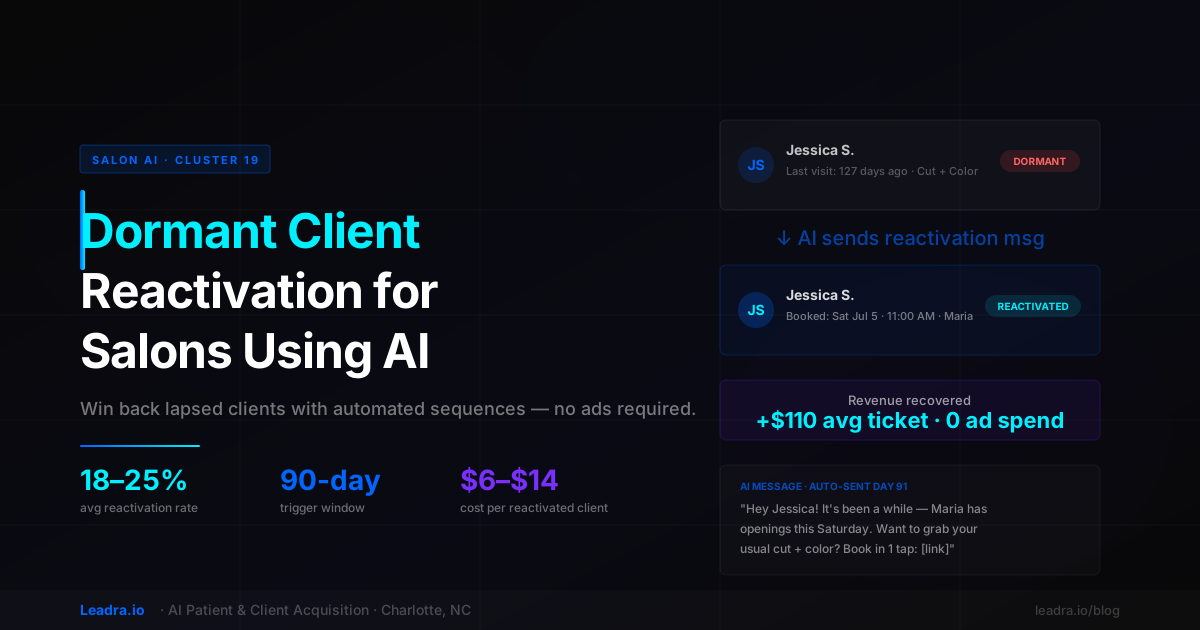
AI dormant client reactivation for salons works differently. The system monitors your booking software in real time, identifies the exact day each client crosses the 90-day inactivity mark, and sends a personalized message that references their name, their last service, and their stylist — with a direct booking link. No manual work. No promo code. No blast. Just the right message to the right client at the right moment, automatically. Most salons see 18-25% of their dormant list rebook within 90 days of turning the system on.
Why Salon Clients Go Dormant (It's Not What You Think)
Before building a reactivation system, it helps to understand why clients actually stop coming back. The reasons drive the message strategy — and most salon owners assume the wrong things.
They got busy and forgot to rebook
~52% of dormant clientsThis is the largest segment. The client left their last appointment intending to come back in six weeks. Life happened — a work project, a family thing, a travel stretch — and they missed their rebooking window. Now it's been four months and they feel mildly awkward about showing up again out of nowhere. A low-pressure message from their stylist removes that friction entirely. These clients convert at the highest rate of any dormant segment — often 25-35% — because there's no negative experience to overcome.
Their schedule or location changed
~28% of dormant clientsThe client moved, changed jobs, or shifted their daily routine in a way that made your location less convenient. This doesn't mean they don't want to come back — it means they need a reason to make the trip. A personal message referencing their usual service and offering an easy Saturday morning slot often converts this group, especially if they haven't fully committed to a new salon yet.
They had a mildly negative experience they didn't mention
~14% of dormant clientsThe color wasn't quite right. The wait was longer than expected. Something small happened that the client didn't bring up in the moment but that sat with them afterward. This group converts at a lower rate, but a well-timed reactivation message — especially one that gives them an opportunity to share feedback — catches a meaningful percentage before they'fully commit to a different salon. Ignoring this group guarantees they leave permanently. Reaching out gives you a chance.
They found it easier to book elsewhere
~6% of dormant clientsA small minority actively switched because a competitor made it easier — faster online booking, better mobile experience, a stylist who texted them to reschedule proactively. For this group, reactivation has the lowest conversion rate, but "lowest" still means 5-8% of them will come back if you make rebooking frictionless. A direct booking link in a reactivation message removes the main barrier that drove them away.
The key insight is that 80% of dormant salon clients left for reasons that have nothing to do with your salon doing something wrong. They drifted. And the only reason they haven't come back is that nobody reached out. An AI reactivation system fixes that without requiring your team to manage a spreadsheet, track inactivity dates, or manually send individual messages.
The Revenue Math: What Your Dormant List Is Worth
Before spending more on Google Ads or Meta campaigns, quantify what your inactive client list is actually worth. Most salon owners are surprised by how large the number is.
Revenue Calculation Example
That calculation uses conservative numbers — a 22% reactivation rate, a $110 average ticket, and 3.2 return visits per year from reactivated clients (slightly below the average of 3.8 that Leadra.io sees across active salons). A salon with 400 dormant clients, even at a 18% reactivation rate and a $90 average ticket, produces $6,480 in immediate revenue and over $20,000 in 12-month value from the same campaign.
The comparison to paid advertising is stark. Acquiring a new hair salon client through Google Ads in a competitive market like Charlotte or Atlanta costs $85-$160 per booking in 2026. Reactivating a dormant client costs $6-$14 per booking. The dormant client also converts faster (they already know you), tips more reliably, and refers new clients at higher rates than first-time ad-acquired clients.
How AI Dormant Client Reactivation Works: The 4-Touch Sequence
Here is the exact sequence Leadra.io deploys for salon reactivation campaigns. Each step is automated, personalized, and triggered by the client's own inactivity date — not a calendar date, not a manual export. The system monitors your booking software continuously and fires each message at the right moment per client.
Primary reactivation message
The first message goes out the day a client crosses 90 days without a booking. It is personal, brief, and tied to their specific history. It references the client's name, their last service, and their usual stylist — not a generic "we miss you" blast. The message ends with a single direct link that opens their stylist's live availability calendar. The goal is zero friction: the client reads, taps the link, picks a time, and is confirmed in under 60 seconds. This message alone converts 12-16% of dormant clients on the first send.
Soft follow-up with an angle shift
Clients who didn't open or respond to the first message get a shorter second message 7 days later. This one changes the angle slightly — instead of leading with the stylist, it leads with something new or seasonal: a new service you added, a seasonal promotion, or simply "Maria has a rare opening this weekend." The shift in framing catches clients who tuned out the first message. This follow-up converts an additional 5-9% of the dormant list, compounding the total reactivation rate to 18-25% across the full sequence.
Long-dormant check-in (optional third touch)
For clients who still haven't responded after the first two messages, an optional third message at day 120 takes a different tone — shorter, softer, and more about checking in than selling. Something like: "Haven't heard from you in a while — everything good? Maria's calendar is open if you want to come in." This converts a smaller percentage (3-5%) but catches clients who went through a life change — a move, a health issue, a job change — and are now ready to rebook. For salons with large inactive lists, this third touch often adds meaningful revenue on its own.
Final classification and suppress
Clients who don't respond after three contacts over 90 days are classified as churned and suppressed from future automated outreach. This prevents the system from continuing to message non-responsive contacts, keeps your sending reputation clean, and ensures your active list stays focused on clients with genuine rebooking potential. Churned clients are archived — not deleted — so a future manual campaign or special event can still reach them if you choose. This classification typically covers 15-20% of the original dormant list.
Message Example — Day 91 (actual format)
“Hey [First Name] — it's been a few months since you were in for your [last service] with [Stylist]. Maria has openings this week if you want to get back in. Book in one tap: [direct booking link]. No pressure — just wanted to reach out. — [Salon Name]”
All bracketed fields populate automatically from your booking software data. No manual editing required per message.
AI Reactivation vs. Manual Outreach: Salon Impact Comparison
Here is how AI-powered dormant client reactivation compares to what most salons do today — which is either nothing, or an occasional manual promo blast:
| Factor | Manual / None | AI Reactivation |
|---|---|---|
| Cost per reactivated client | $0 (but never done consistently) | $6–$14 per reactivated booking |
| vs. paid ad cost per new client | $80–$160 (Google/Meta 2026 avg) | 85–90% cheaper than new client acquisition |
| Time to reach dormant list | Weeks of manual texting or never | Automatic — triggers the day client hits 90 days |
| Message personalization | Generic blast or none | Name, last service, stylist, direct booking link |
| Reactivation rate | Under 5% (one-off promo blasts) | 18–25% over a 3-touch 90-day sequence |
| Staff time required | 3–6 hours per campaign run | Zero — runs automatically per client |
| Integration with booking software | None — manual data export required | Reads live inactivity data; books directly to calendar |
The critical difference between manual campaigns and AI-driven reactivation isn't just the conversion rate — it's the timing. A generic promo blast goes to everyone at once, which means some clients get it 3 days after their last visit and some get it 18 months later. The window for a reactivation message to feel relevant is narrow: between 90 and 120 days of inactivity, clients are still warm enough to respond but gone long enough to need a nudge. AI hits that window precisely per client. Manual campaigns miss it for most of the list.
Case Study: Charlotte Salon Reactivates 73 Dormant Clients in 90 Days
Client Story — South End, Charlotte NC
A five-stylist salon in Charlotte's South End neighborhood came to Leadra.io in April 2026 with a plateau problem. Revenue had been flat for six months despite steady new client inquiries. A database audit revealed 318 inactive clients — people who had visited once or twice, then stopped. The owner had never run a reactivation campaign because there was no system to do it. The idea of manually texting 318 people was impossible.
Leadra.io connected the AI reactivation system to the salon's Vagaro account over a 3-day setup. The system identified the 318 inactive clients, sorted them by days-since-last-visit, and began sending personalized Day 91 messages on a rolling basis — starting with the clients closest to the 90-day mark. No blast. No promotion. Just a personal message from the specific stylist each client had worked with, with a direct booking link.
In the first 30 days, 41 clients booked. By day 90, the total was 73 reactivated clients at an average ticket of $118. The salon ran zero additional ad spend during the campaign. Total cost of the reactivation system: $900/month.
Dormant clients targeted
318
318
Clients reactivated
0
73
Reactivation rate
0%
23%
Revenue recovered
$0
$8,614
System cost: $900/month · Revenue recovered in first 90 days: $8,614 · 90-day ROI: 9.6x. 73 reactivated clients produced 48 additional return visits in the 90 days following the initial rebook — adding another $5,664 to the 6-month revenue picture. Total 6-month value: $14,278. No promotional discount used in any message.
The most significant finding from this case was the zero-discount structure. The salon owner had assumed she would need to offer 20-25% off to get dormant clients back. Leadra.io recommended against it — discounting signals that the service wasn't worth full price to begin with, and it trains clients to wait for a promotion before rebooking.
The personalized message alone — referencing the client's name, their last service, and their specific stylist — was enough to convert 23% of the dormant list at full price. The clients who came back through reactivation also had a higher rebooking rate in the 90 days after their return visit (64%) than new ad-acquired clients (41%) — because they already had an established relationship with the salon.
Software Integration: Which Salon Platforms Work With AI Reactivation
AI salon reactivation only works if the system can read your inactivity data in real time. Manual data exports create lag — a client who hasn't been in for 92 days today might get a reactivation message 10 days late because the export ran last week. Leadra.io connects directly to the live API for each supported platform, which means the 90-day trigger fires within 24 hours of the client crossing the threshold.
Vagaro
Full API — real-time read/write
Booksy
Full API — real-time read/write
Mindbody
Full API — real-time read/write
Fresha
Webhook — 4h sync
Square Appointments
Full API — real-time read/write
StyleSeat
Webhook — 4h sync
GlossGenius
Webhook — 4h sync
Acuity Scheduling
Full API — real-time read/write
Other platforms
CSV sync — 24h cycle available
The booking side of the integration is equally important. When a client responds to a reactivation message and taps the booking link, the system needs to open their stylist's live availability — not a generic calendar. A link that shows “pick any stylist, any time” introduces friction and decision fatigue. A link that opens specifically to Maria's available slots for this client's usual services converts at 3-4x the rate of a generic booking page.
See also: Booksy vs. Vagaro AI appointment automation for salons and salon cancellation fill automation for Vagaro and Fresha for related automation coverage.
How to Launch AI Reactivation at Your Salon: 3-Step Setup
Launching a reactivation system takes less time than most salon owners expect. Here is the standard Leadra.io onboarding path:
Audit your inactive client list
Pull every client who hasn't visited in 60+ days from your booking software. Categorize by days-since-last-visit: 60-90 days (pre-dormant), 90-180 days (primary reactivation target), 180-365 days (secondary target), 365+ days (churned — suppress from initial campaign). Count the dollar value of each segment using your average ticket. Most salons find $8,000-$25,000 in first-90-day recoverable revenue in this audit — and it takes less than an afternoon to run.
Connect your booking platform and configure the message sequence
Leadra.io connects to your booking software via direct API integration — a 2-4 day setup process requiring no technical work from your team. The message sequence is configured with your salon name, each stylist's name, your standard services, and your booking link structure. Messages are reviewed and approved by you before the system goes live. Most salons approve their message templates in a single 30-minute review call. The system starts monitoring inactivity on day 1 of go-live.
Review the first 30-day results and tune
In the first 30 days, check the delivery report: how many Day 91 messages went out, open rate, reply rate, and bookings confirmed. Tune message language if open rates are below 45% (common early signs: message too long, subject line too salesy, booking link buried). Most salons make one small language adjustment in week 2 and then run the system without further changes. By day 60, the system is typically running on autopilot — delivering reactivation messages to each client on the exact day they hit 90 days inactive, without any recurring input from your team.
Related reading: best AI tools for hair salon appointment booking covers the broader booking automation stack, and AI receptionist for hair salons covers the 24/7 call and text handling component that pairs with reactivation for a full client lifecycle system.
Frequently Asked Questions
How does AI dormant client reactivation work for salons?
AI dormant client reactivation for salons works by monitoring your booking software for clients who haven't returned after a set window — typically 90 days. When a client crosses that threshold, the AI automatically sends a personalized text or email that references their name, their last service, and their usual stylist. The message includes a direct booking link tied to live stylist availability. Clients who don't respond after 5-7 days receive a second, shorter follow-up. The entire sequence runs without any manual work from your team. Most salons using this system see 18-25% of their dormant clients rebook within the first 90 days of running the campaign.
Why do salon clients go dormant and stop rebooking?
Salon clients go dormant for three main reasons: they got busy and forgot to rebook, they moved or changed their schedule, or they had a mildly negative experience they didn't mention but never returned from. Research shows that fewer than 8% of lapsed salon clients actively switched to a competitor — the vast majority just drifted. A personalized outreach that acknowledges the gap and makes rebooking frictionless brings most of them back.
What salon software does AI reactivation integrate with?
AI salon reactivation systems built by Leadra.io integrate with Vagaro, Booksy, Mindbody, Fresha, Square Appointments, StyleSeat, and GlossGenius. The integration reads your inactive client list directly from your scheduling software, identifies clients who crossed the 90-day inactivity threshold, and sends personalized messages that include a direct booking link. When a client books through the reactivation link, the appointment writes directly into your calendar in real time.
How much does AI reactivation cost compared to getting new salon clients from ads?
AI dormant client reactivation for salons typically costs $6-$14 per reactivated client when you factor in the system cost spread across all reactivated bookings in a campaign. Acquiring a new hair salon client through Google Ads or Meta Ads typically runs $80-$160 per booking in competitive markets in 2026. Reactivating a dormant client also produces higher lifetime value — they already know your stylists, they have established service preferences, and they rebook at higher rates than first-time clients.
Stop Paying to Acquire Clients You Already Have
Most salons spend $800-$3,000 per month on ads trying to find new clients while sitting on a database of 200-500 lapsed clients who already trust them. That's the wrong order of operations. Reactivation should come before acquisition — it's cheaper, faster, and produces higher-retention clients.
AI dormant client reactivation for salons turns your existing database into a revenue source that runs without ad spend, without manual outreach, and without discounting. The system identifies each client the day they cross 90 days inactive, sends a personalized message at the right moment, and books them back into your calendar automatically.
Leadra.io builds and deploys these systems for hair salons with full scheduling software integration, personalized sequences per stylist, and a 90-day results guarantee. If the system doesn't produce measurable reactivation bookings in 90 days, you don't pay.
Free Dormant Client Audit
See How Many Dormant Clients Your Salon Has — and What They're Worth
30-minute audit. We'll analyze your inactive client list, project your reactivation revenue potential, and show you exactly what the AI sequence looks like before you commit to anything.
Leadra.io
AI marketing agency — Charlotte, NC · Published July 1, 2026