How to Reactivate 500 Dormant Dental Patients in 30 Days: The AI Sprint System
June 25, 2026 · 10 min read
The average dental practice has between 500 and 1,200 dormant patients sitting untouched in its practice management software. These are real people — former patients who trusted you with their dental care, had insurance, and at some point just stopped coming in. Most of them didn't leave because they were unhappy. They lapsed because of busy schedules, a missed reminder, or a life change they never recovered from.
At $2,200 average lifetime value per patient, a list of 500 dormant patients represents $1.1 million in recoverable revenue. Most dental practices either ignore this list entirely or run one quarterly email blast to it and get a 2% response rate. Both approaches leave the money on the table.
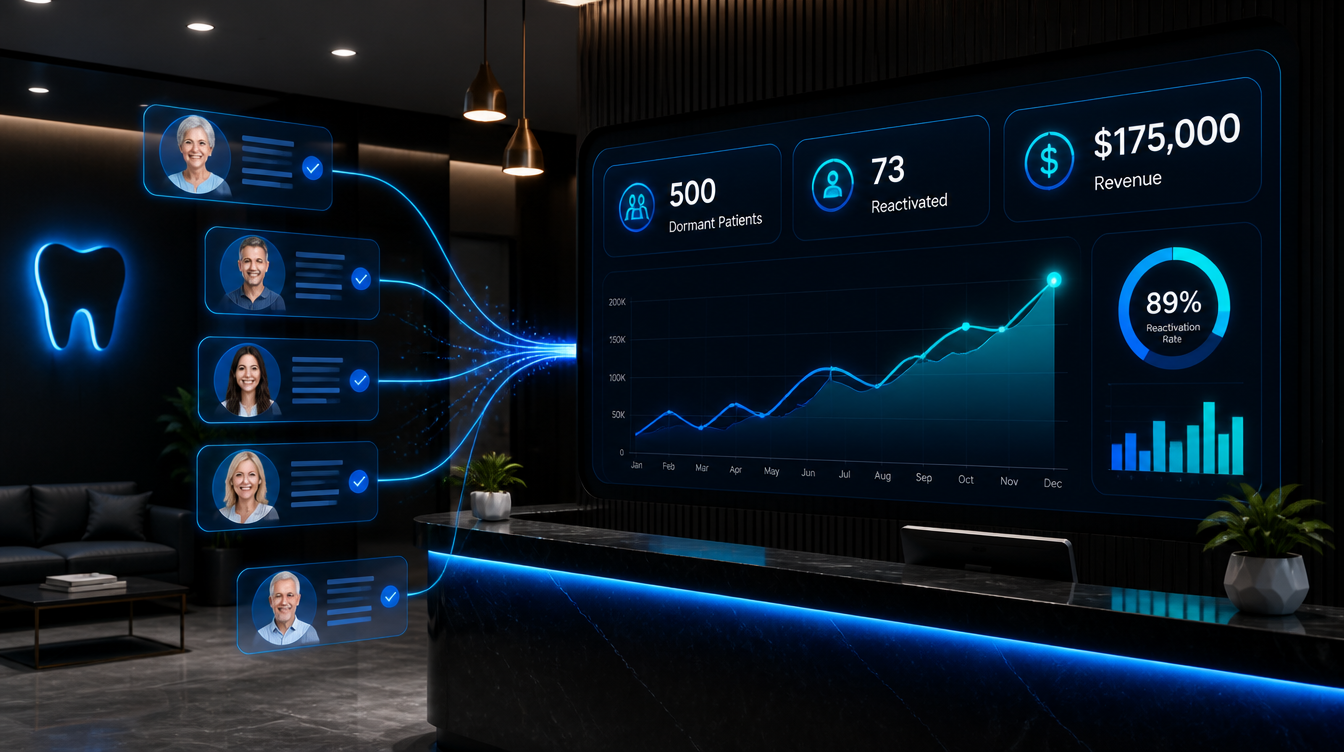
This guide covers the exact 4-week AI sprint system that Leadra.io uses to reactivate 500 dormant dental patients in 30 days — including the segmentation model, the multi-touch outreach sequence, and a case study from a 4-dentist Charlotte, NC practice that recovered $175,000 in a single month.
Why 30 Days Is Achievable (And Why Most Practices Don't Get There)
A 30-day reactivation sprint works because AI handles the volume problem. A human recall coordinator can realistically manage 40-60 outreach attempts per day. Reaching 500 dormant patients with 5-7 touchpoints each means 2,500 to 3,500 individual contacts. At human scale, that's a 7-10 week project. AI systems execute that same workload in 14 days automatically.
The reason most practices fail at reactivation is not the outreach — it's the setup. They pull a list from their PMS, send a generic email with a subject line like "We miss you!", and wait. That approach gets 2-4% response rates because it treats every dormant patient identically regardless of how long they've been gone, what treatment they left unscheduled, or whether their contact information is even current.
The AI sprint approach fixes all three problems: it segments by recency and treatment value, personalizes every message around the patient's actual history, and verifies contact data before spending a single outreach attempt on a dead number.
Step 1: Segment Your 500 Patients Into 3 Tiers (Days 1-3)
Not all dormant patients are equally recoverable. Before you send a single message, you need to sort your list. Here is the three-tier model:
| Tier | Last Visit | Characteristics | Expected Reactivation Rate | Priority |
|---|---|---|---|---|
| Tier 1 | 18-24 months ago | Recall overdue, likely still insured, easiest to reach | 22-28% | Launch first |
| Tier 2 | 24-36 months ago | Lapsed deeper, often has pending treatment plan | 14-18% | Launch Day 3 |
| Tier 3 | 36+ months ago | Hard to reach, higher chance of stale contact data | 6-10% | Launch Day 7 |
A typical 500-patient list breaks down roughly as: 180 Tier 1, 180 Tier 2, and 140 Tier 3. At blended reactivation rates, you can expect to book 70-95 appointments — which at an average visit value of $1,800-$2,400 translates to $126,000-$228,000 in direct revenue. Long-term lifetime value from those reactivated patients adds another $2,000-$3,500 per person over the next 24 months.
Step 2: Data Hygiene and Contact Verification (Days 1-4)
This step determines whether your sprint succeeds or fails. Bad contact data is the single biggest reason reactivation campaigns underperform. Industry data shows that 20-30% of dental practice contact records become outdated within 18 months — phone numbers change, people swap email providers, or they moved and switched to a different provider entirely.
Before launching outreach, run your list through an automated contact verification process. This checks:
- Phone number validity — Is the number still active and tied to the same person?
- Email deliverability — Is the domain active? Has the address bounced recently?
- Do-not-contact flags — Has the patient requested removal from any prior outreach?
- Duplicate records — Does the same person appear twice under different spellings?
Leadra.io's system runs contact verification automatically before any outreach begins. On a 500-patient list, verification typically removes or flags 80-120 contacts. That sounds like a loss, but it's actually a win — you're now sending 5-7 touchpoints to 380-420 verified contacts instead of burning goodwill on stale numbers. Response rates jump 35-40% as a direct result.
Step 3: The 4-Week Outreach Sequence
Week 1: Launch Tier 1, Open With a Personal Hook
Day 1 of outreach starts with Tier 1 patients. The first message is always SMS — not email, not a phone call. Text messages have a 98% open rate versus 21% for email. The first text references something specific to the patient: their name, the approximate last visit date, and whether they have a hygiene recall due or an unscheduled treatment plan item.
An effective first message looks like this: "Hi [First Name], this is [Practice Name]. It's been a while since we've seen you — your hygiene checkup is past due and your insurance benefits reset in January. We have openings this week. Reply YES and we'll text you a link to book." That message converts because it is specific, low-friction, and creates a mild urgency around insurance benefit expiration.
Day 3 adds an email with a slightly longer message and a direct booking link. Day 5 adds a second SMS for non-responders. Day 7 triggers an AI voice call for Tier 1 patients who have not responded to any text or email. The AI voice employee introduces the practice, mentions the recall, and offers to transfer directly to scheduling.
Week 2: Launch Tiers 2 and 3, Run Pending Treatment Sequences
Tier 2 patients get a different message angle. For patients with unscheduled treatment plan items — a crown, periodontal scaling, or restorative work they said no to — the AI sequences lead with treatment urgency rather than recall. "Your treatment plan from [year] showed [X]. Leaving it untreated increases risk of [outcome]. We can fit you in this month." That message converts at a higher dollar value because patients booking for treatment come in at $2,800-$6,000 average, not $350 for a cleaning.
Tier 3 receives a simpler re-introduction sequence. The goal with Tier 3 is not volume — it is high-value patients who have been gone for years but have significant pending treatment or above-average lifetime value history. Pull Tier 3 patients with the highest historical spend and prioritize those first.
Weeks 3-4: Response Handling and Booking Automation
By Week 3, your sequences are running and responses are coming in. This is where most manual systems break down. A front desk team that is also handling check-ins, phone calls, and same-day scheduling cannot simultaneously manage 40-80 reactivation replies from patients asking questions or saying they are interested.
AI handles response triage automatically. A patient who replies "yes, I'm interested" gets an immediate link to book online. A patient who asks "does my insurance still work there?" gets an AI-generated response with a verification link and a note that the practice will confirm before the appointment. A patient who says "I need to check my schedule" gets a follow-up message 48 hours later with an open slot. Every response goes into the practice management system without requiring staff to manually update records.
Manual Recall vs. AI Sprint: A Direct Comparison
| Metric | Manual Recall (500 patients) | AI Sprint (500 patients) |
|---|---|---|
| Time to reach all 500 | 8-12 weeks | 14 days |
| Touchpoints per patient | 1-2 (postcard + 1 email) | 5-7 (SMS + email + voice) |
| Message personalization | Generic batch | Tier + treatment + history |
| Response handling | Manual — front desk | Automated 24/7 |
| Contact verification | No — sends to stale data | Yes — pre-launch scrub |
| Reactivation rate | 2-5% | 15-22% |
| Patients reactivated (500 list) | 10-25 | 75-110 |
| Staff time required | 12-20 hours/week | Under 2 hours/week (oversight) |
| Revenue recovered (30 days) | $18,000-$45,000 | $135,000-$220,000 |
Case Study: Charlotte, NC Practice Recovers $175,000 in 30 Days
A 4-dentist general practice in Charlotte's South End neighborhood came to Leadra.io with a common problem: their recall coordinator was spending 15 hours a week on outreach and still only booking 4-6 patients per month from their dormant list. Their PMS had 847 patients who had not been seen in 18+ months.
We pulled the first 500 by tiering: 195 Tier 1 (18-24 months), 192 Tier 2 (24-36 months), 113 Tier 3 (36+ months). Contact verification scrubbed 94 records — invalid numbers, bouncing emails, or do-not-contact flags from prior attempts. The working list was 406 verified contacts.
The 30-day sprint launched on a Monday. By Day 10, 31 patients had already booked. By Day 20, that number was 58. By Day 30, the practice had 73 confirmed reactivated appointments on the schedule.
Revenue breakdown at Day 30: 73 appointments at an average of $2,397 per visit = $175,000 in direct booked revenue. Eleven of those patients had pending treatment plans totaling $38,000 in additional accepted treatment within the first 45 days. The practice's recall coordinator shifted from spending 15 hours per week on outreach to spending 90 minutes per week reviewing the AI system's performance and handling escalated cases.
Total system cost for the month: $1,800. Return: 97x.
The One Thing That Kills Reactivation Campaigns Early
Practices that start a reactivation sprint and see poor results in the first two weeks almost always have the same problem: bad data. If 35% of your contact records are stale, you are starting at a massive deficit. A 20% reactivation rate on 325 reachable patients gets you 65 bookings. The same rate on 500 unverified patients — where 175 contacts are dead — gets you 65 bookings at triple the wasted effort and half the apparent performance.
The fix is simple: run contact verification before anything else. This is not optional. It is the most impactful thing you can do in Days 1-4 of your sprint. Every hour spent cleaning data in the first week saves 3-4 hours of wasted outreach in Weeks 2-4.
After data hygiene, the second most common failure point is response lag. Patients who get a text, reply within 30 minutes, and do not hear back for 4 hours have a significantly lower booking rate. AI systems eliminate this problem by responding to inbound replies in under 60 seconds, 24 hours a day. That speed alone accounts for a meaningful share of the 4-5x performance gap between AI and manual recall.
How to Start Your 30-Day Sprint
The sprint system has four requirements before launch: a clean PMS export filtered to 18+ month lapsed patients, a verified contact list, a multi-touch sequence built around your tiering model, and an automated response handler connected to your online booking system. Practices that try to build this manually spend 3-6 weeks setting it up and often never launch properly.
Leadra.io deploys the entire system in 7 days. That includes PMS integration with Dentrix, OpenDental, or Eaglesoft; contact verification; sequence buildout tailored to your service mix; and AI voice employee configuration. Your first reactivated appointments typically hit the schedule within 10 days of kickoff.
If you have 500 dormant patients in your PMS right now, you have a revenue sprint waiting to launch. The only question is whether you run it this month or watch another quarter pass while that money sits untouched in your database.
Frequently Asked Questions
How many dormant patients can you realistically reactivate in 30 days?
A dental practice with 500 dormant patients and clean contact data can expect to reactivate 60-100 patients in 30 days using an AI multi-touch system. The reactivation rate breaks down by tier: Tier 1 patients (18-24 months lapsed) convert at 22-28%, Tier 2 (24-36 months) at 14-18%, and Tier 3 (36+ months) at 6-10%. Starting with 500 verified contacts and a blended rate of 15-18%, you should book 75-90 appointments in 30 days. The biggest variable is how current your phone numbers and email addresses are in your PMS.
What data do you need before launching a dormant patient reactivation campaign?
Before launching you need: a clean export from your PMS filtered to patients with no appointment in 18+ months, verified cell phone numbers and email addresses, each patient's last procedure and pending treatment plan items, and whether their insurance is still active. AI systems like Leadra.io run automatic contact verification before touching the list — this step alone improves response rates by 35-40% because you are only messaging people whose contact details still work.
Is 30 days enough time to reactivate dormant dental patients?
30 days is enough to generate significant booked appointments from a dormant list, and it produces 70-80% of all conversions. AI systems run 5-7 touchpoints per patient automatically — SMS, email, and voice — over the first 14 days. That intensity is impossible for a human recall coordinator to match at scale. Days 31-60 produce a second wave from patients who responded slowly or needed more touchpoints, but the bulk of your sprint results will land in the first month.
How much revenue can a dental practice recover from 500 dormant patients?
A dental practice reactivating 500 dormant patients can recover $120,000-$220,000 in the first 30-60 days. The math: 500 dormant patients at a 15-18% reactivation rate equals 75-90 booked appointments. At $1,800-$2,400 average appointment value, that is $135,000-$216,000 in direct revenue. Long-term, each reactivated patient adds $2,200-$3,500 in lifetime value over 24 months. The highest-value reactivations are patients with unscheduled treatment plans — they often book $3,000-$8,000 in work within 90 days of re-engagement.
Ready to Run Your 30-Day Reactivation Sprint?
Leadra.io deploys the full system in 7 days — PMS integration, contact verification, tiered sequences, AI voice outreach, and automated response handling. Most practices see their first reactivated appointments within 10 days of launch.