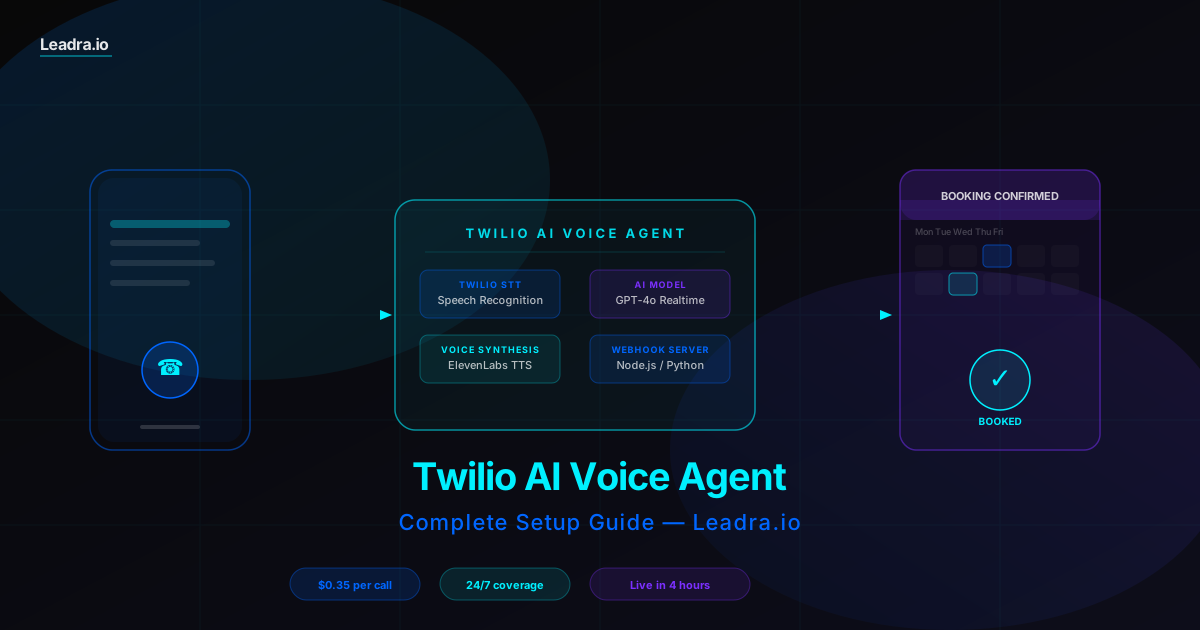
Twilio AI Voice Agent — What You Get
What a Twilio AI Voice Agent Actually Does
A Twilio AI voice agent is a phone number that uses artificial intelligence to handle calls without a human on the line. When someone calls, the AI answers, listens to what they say, understands their intent, and responds naturally — like a trained receptionist, but available at 3am on a Sunday.
Twilio provides the phone infrastructure: the phone number, call routing, speech recognition, and webhook system. The AI model — typically GPT-4o, Claude, or a specialized voice AI — provides the intelligence: understanding what the caller wants and generating the right response.
The use cases that generate the clearest ROI for small businesses are appointment booking, lead qualification, after-hours coverage, and FAQ handling. A dental clinic in Charlotte using a Twilio AI voice agent captures new patient inquiries at 11pm that would otherwise go to voicemail and never call back. A home services company qualifies leads by zip code and job size before a human ever picks up the phone.
The setup takes 2-8 hours depending on how custom your requirements are. Here's the exact process.
What You Need Before You Start
Twilio account
Free to create. You get $15 in trial credit. Once you go live with a real phone number, you'll need a paid account. Costs $1/month per number plus per-minute call charges.
OpenAI API key
If using Twilio Voice AI or building with GPT-4o, you need an OpenAI account with API access. The Realtime API (for voice) is a separate product from the standard chat API.
A server (for Option B)
If building a custom webhook agent, you need a server to run your code. Railway, Render, or a $5/month DigitalOcean droplet work fine. For testing, ngrok exposes your local machine.
Your business logic documented
Write down: your business hours, services, pricing, FAQs callers ask most, and what information you need to collect to book an appointment. This becomes your AI system prompt.
Step-by-Step Twilio AI Voice Agent Setup
Two paths below: Twilio Voice AI for fast no-code deployment, and a custom webhook server for full control. Steps 1 and 2 apply to both.
Twilio Account and Phone Number
Time: 15 minCreate a Twilio account at twilio.com. You get $15 in trial credit — enough to test several hundred calls before entering a card.
Navigate to Phone Numbers → Buy a Number. Search by area code to get a local number for your market. Numbers cost $1/month.
In your account, copy your Account SID and Auth Token from the Console Dashboard. You need these in your server code.
Enable Voice in the number settings and set the webhook URL to the endpoint you'll create in Step 3. Use ngrok or a deployed server URL.
Choose Your AI Architecture
Time: 30 min planningOption A — Twilio Voice AI (recommended for most businesses): Twilio's native AI voice product connects directly to OpenAI Realtime API. You configure an AI assistant in the Twilio console with a system prompt and personality. No server code required for basic setups.
Option B — Custom webhook server (for full control): Your server receives Twilio webhook calls, runs speech-to-text (Deepgram or Whisper), sends the transcript to an AI model (GPT-4o, Claude), converts the response to speech (ElevenLabs or Cartesia), and returns TwiML with the audio URL.
Option A gets you live in hours. Option B gives you complete control over logic, CRM integrations, and custom business rules. Most small businesses start with Option A.
Configure Twilio Voice AI (Option A)
Time: 45 minIn the Twilio Console, go to Voice AI → Assistants → Create Assistant.
Set the assistant's name, voice (Twilio offers 60+ voices via ElevenLabs integration), and language.
Write your system prompt. This is the most important step. Example for a dental clinic: 'You are the receptionist for [Practice Name] in Charlotte, NC. Your job is to answer questions about services, verify insurance acceptance, and book new patient appointments. Always collect the caller's name, date of birth, and preferred appointment time. Our hours are Monday-Friday 8am-5pm.'
Under Tools, enable the built-in appointment booking tool and connect it to your calendar via the webhook URL. Twilio sends structured JSON to your endpoint when the AI collects appointment data.
Attach the assistant to your phone number in the number settings. Test by calling the number.
Build a Custom Webhook Server (Option B)
Time: 2-4 hoursSpin up a Node.js or Python server. Your main endpoint handles POST requests from Twilio when a call comes in.
When the call starts, Twilio sends a webhook. Respond with TwiML that uses <Gather> to capture speech: <Gather input='speech' speechTimeout='auto' action='/process-speech'>
Your /process-speech endpoint receives the transcript. Send it to your AI model with context about the business and conversation history. OpenAI example: openai.chat.completions.create({ model: 'gpt-4o', messages: [{role: 'system', content: systemPrompt}, ...history, {role: 'user', content: transcript}] })
Convert the AI response to speech using ElevenLabs or Twilio's built-in TTS, then return TwiML with <Say> or <Play> to speak it back to the caller. Loop with another <Gather> to continue the conversation.
Deploy to Railway, Fly.io, or a DigitalOcean droplet. Update your Twilio phone number webhook to the deployed URL.
Add Appointment Booking and CRM Integration
Time: 1-2 hoursAfter the AI collects booking details, fire a POST request to your booking platform's API. Google Calendar uses the Google Calendar API. Calendly has an API. Dental practice management software like Dentrix or Open Dental have their own endpoints.
Store every call in your CRM. Capture caller name, phone number, call duration, transcript, and outcome (booked, inquiry, declined). Most businesses use a simple Airtable or a webhook to their existing CRM.
Set up post-call SMS using Twilio Messaging. After the call ends, your server fires a Twilio SMS with the appointment confirmation, address, and any prep instructions.
Add a call recording option (with disclosure at the start of the call) so you can review agent performance and improve your system prompt over time.
Writing the System Prompt That Makes Your Agent Sound Human
The system prompt is the single biggest factor in how well your Twilio AI voice agent performs. A generic prompt produces a generic agent. A prompt built around your specific business, callers, and objections produces an agent that converts.
Example: Dental Clinic AI Receptionist System Prompt
Notice what this prompt does: it gives the agent a name and personality, defines a clear task, sets a response length target (under 30 words), specifies an exact collection sequence for bookings, and handles the edge case of emergencies.
The most common mistake businesses make is writing a prompt that tells the AI what it is instead of what it should do. Instructions drive behavior. Identity statements don't. Every sentence in your prompt should be actionable.
Before vs. After: AI Voice Agent for Small Business
| Metric | Without AI Voice Agent | With Twilio AI Voice Agent |
|---|---|---|
| After-hours call handling | Goes to voicemail — 60-70% of callers don't leave messages | AI answers instantly, 24/7, books appointments or logs inquiries |
| Average response time to inquiry | Next business day (or longer on weekends) | Immediate — AI responds within 1-2 rings |
| Appointment booking without staff | Not possible — requires a human on the phone | Fully automated — AI collects info and confirms in the calendar |
| Cost per call handled | $4-$12 in staff time (receptionist at $15-18/hr × avg 3-5 min/call) | $0.20-$0.40 in Twilio + AI API costs |
| Calls handled simultaneously | One at a time — busy signal or hold queue during peak hours | Unlimited concurrent calls — no hold queue |
| Consistency of information given | Varies by staff member — pricing, hours, services differ | 100% consistent — same answers every call, no errors |
| New patient / lead capture rate | 50-65% (missed after-hours + lost-to-voicemail callers) | 90-95% (AI answers all calls, qualifies and books same call) |
Common Twilio AI Voice Agent Issues (and Fixes)
Most problems with Twilio AI voice agents come down to latency, prompt quality, or webhook configuration. Here's what to check first.
Issue
Agent feels slow — long pauses between turns
Fix
Switch to OpenAI Realtime API instead of the standard chat API + TTS pipeline. Realtime cuts response latency from 2-4 seconds to 0.4-0.8 seconds. If you're on the webhook path, move your server to a region close to Twilio's media servers (US East or US West).
Issue
Agent doesn't understand callers correctly
Fix
Twilio's default speech recognition works well for clear speech but struggles with accents, background noise, and fast talkers. Switch to Deepgram Nova-2 for transcription — it's significantly more accurate and costs $0.0043/minute. Pass the Deepgram API key in your Twilio Gather configuration.
Issue
Agent goes off-script or hallucinates information
Fix
Tighten your system prompt. Add explicit constraints: 'Only provide information I have given you. If you don't know, say you'll have someone call back.' Add a line like 'Never make up prices, times, or availability.' Include a fallback: 'If you can't help the caller, offer to take their name and number for a callback.'
Issue
Webhook not receiving calls
Fix
Verify your Twilio phone number is configured with the correct Voice webhook URL (not the SMS URL field). If testing locally with ngrok, make sure the ngrok tunnel is running before the call. Twilio logs all webhook delivery attempts in the Console under Debugger — check there first.
When to Build It Yourself vs. When to Skip the Setup
Building a Twilio AI voice agent from scratch makes sense if you have a developer on your team, a specific integration requirement that off-the-shelf solutions don't cover, or the time to spend 10-20 hours on the initial build and ongoing maintenance.
For most small businesses — dental clinics, law firms, home services, med spas, real estate — the math points the other way. A pre-built AI voice agent deployed by a specialist costs $150-$400/month and goes live in 3-5 days. You get a trained, tested system without debugging Twilio webhooks at midnight.
The build-vs-buy decision comes down to one question: is your core business advantage in how your phone system works, or in the service you actually deliver? If it's the latter, the opportunity cost of building and maintaining your own voice infrastructure is almost never worth it.
Frequently Asked Questions
How much does it cost to run a Twilio AI voice agent?+
Twilio charges $0.0085 per minute for inbound calls and $0.014 per minute for outbound calls on standard Voice pricing. A business handling 200 calls per month at an average of 3 minutes each pays roughly $5-$8/month in Twilio call costs. Add your AI model API costs — OpenAI Realtime API runs about $0.06/minute for audio — and a moderately busy voice agent handling 200 calls/month costs $17-$25/month total. You also pay $1-$2/month per Twilio phone number. Most small businesses running an AI receptionist see total platform costs of $30-$60/month, which is a fraction of a part-time receptionist at $800-$1,200/month.
What is the difference between Twilio Studio and Twilio Programmable Voice for AI agents?+
Twilio Studio is a visual drag-and-drop flow builder that handles basic call routing, IVR menus, SMS follow-ups, and simple scripted responses — no code required. It works well for structured flows where the caller selects from options. Twilio Programmable Voice is the API layer that lets you write custom code (Node.js, Python, etc.) to control every aspect of a call using TwiML. For a real AI voice agent — one that listens to open-ended speech, understands intent, and responds conversationally — you need Programmable Voice with a webhook server connected to an AI language model. Studio is a starting point; Programmable Voice + AI is the full solution for natural-sounding agents.
Which AI model works best with Twilio for voice agents?+
OpenAI's Realtime API (GPT-4o Realtime) is currently the strongest option for Twilio voice agents because it handles both speech recognition and response generation in a single low-latency connection, reducing the conversation lag that makes AI voice agents feel robotic. Twilio also has a native integration with OpenAI Realtime through their Voice AI product (released 2025), which simplifies the architecture significantly. For businesses that want an open-source alternative, Deepgram for speech-to-text combined with Claude or GPT-4o for language processing and ElevenLabs or Cartesia for text-to-speech works well, though it introduces more latency (typically 1.5-2.5 seconds per turn vs. 0.4-0.8 seconds for the native Realtime path).
Can a Twilio AI voice agent book appointments directly into a calendar or CRM?+
Yes — this is one of the most common production use cases. During a call, the AI voice agent collects the caller's name, preferred appointment time, and reason for the visit, then fires a webhook to your booking system (Google Calendar, Calendly, Jane App, Dentrix, etc.) to create the appointment in real time. The caller can confirm the time slot before hanging up. After the call, Twilio can trigger an automated SMS confirmation with the appointment details and a cancellation link. Dental clinics, medical practices, and home service businesses use this setup to book appointments 24/7 without any staff involvement. The integration requires a webhook endpoint in your server code that calls your booking platform's API when the AI agent finishes collecting the required fields.
Related Resources
Want an AI Voice Agent Running in 3 Days — Without the Build?
Leadra.io deploys AI voice agents for small businesses — appointment booking, lead qualification, after-hours coverage. We handle Twilio setup, AI training, and CRM integration. You get a working agent without writing a line of code.
Charlotte, NC · AI voice agents for dental, legal, home services, and more · nationwide